

Key Takeaways
Our Verdict
There is no objectively correct screen size — the right choice depends on how you actually use your phone day to day. Compact phones reward portability and one-handed control, while larger screens serve media consumption, typing, and accessibility needs more effectively. Mapping your real habits to these trade-offs, rather than defaulting to the biggest or most popular option, leads to a more satisfying long-term experience.
| Best for | Recommended |
|---|---|
| Users who prioritize portability and one-handed use | Compact screen (under 6.1 inches) |
| Those who stream video, read frequently, or have vision needs | Large screen (6.5 inches and above) |
| Users balancing productivity and everyday carry | Mid-size screen (6.1–6.4 inches) |
Why Screen Size Is More Personal Than It Appears
Walk into any carrier store and you'll notice phones trending larger. The average smartphone screen has grown steadily over the past decade, with most flagship devices now exceeding 6.1 inches diagonally. But bigger has not uniformly meant better — and many users who upgrade to larger phones later wish they'd thought harder about how they'd actually hold and carry the device every day.
Screen size affects much more than viewing area. It shapes how far your thumb must stretch to reach the opposite corner, how easily the phone fits in a jeans pocket, whether you reach for it one-handed or two, and how long extended use feels comfortable. These are ergonomic questions as much as display questions — and they vary considerably depending on hand size, grip habits, and daily routines. Exploring the consumer electronics landscape reveals how manufacturers have responded to this diversity with a wider spread of size categories than ever before.
The Ergonomics of Compact vs. Large Phones
Ergonomics research on handheld devices consistently identifies grip stability and thumb reach as key comfort variables. A phone that requires significant hand repositioning to reach common interface elements — like the top of the screen or notification shade — places repetitive micro-strain on the thumb tendons and wrist. Over months of daily use, this can contribute to discomfort that users often attribute to general fatigue rather than device fit.
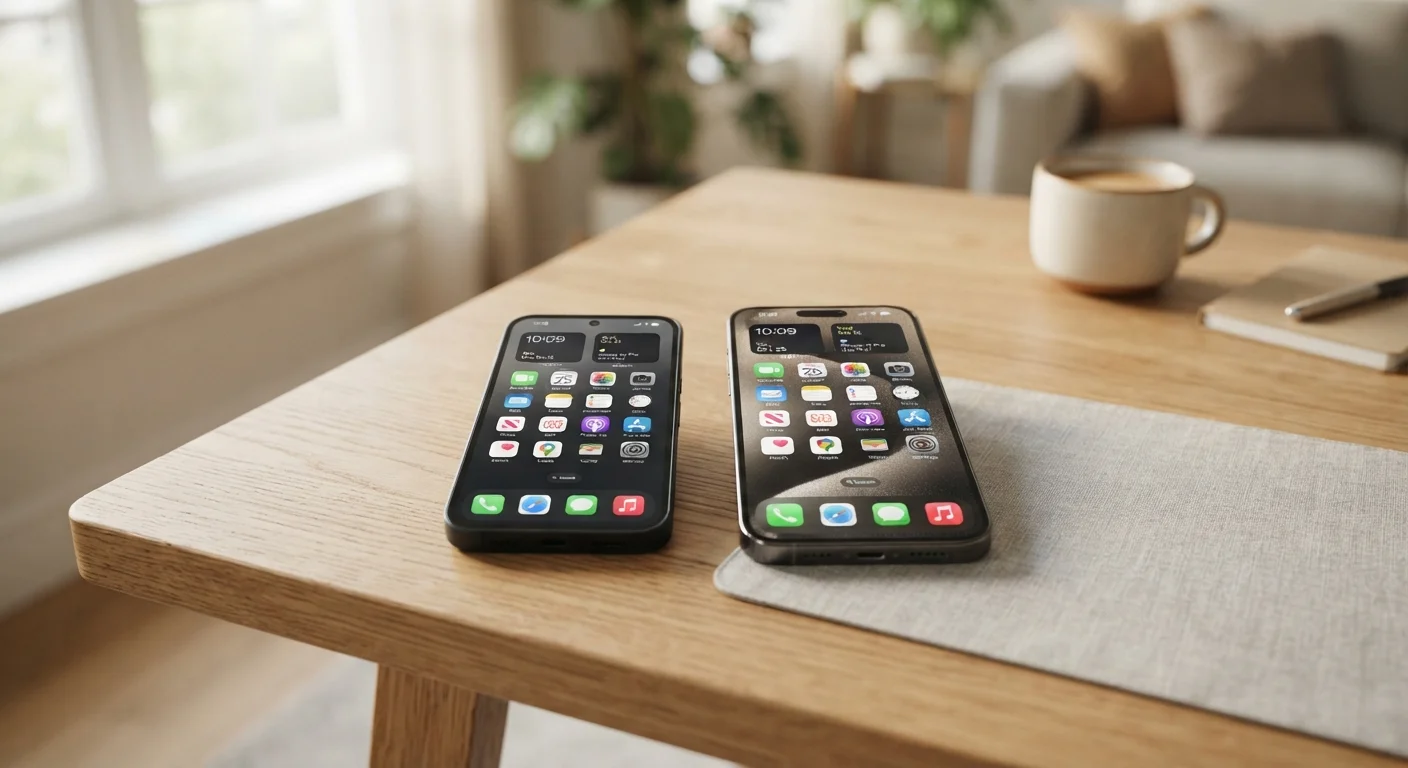
Compact phones, generally defined as those with screens under 6.1 inches, allow most users with average or smaller hands to operate core functions without shifting grip. The tradeoff is a smaller keyboard, tighter navigation gestures, and reduced screen real estate for reading or multitasking. Large phones — typically 6.5 inches and above — offer roomier interfaces but often require two-handed operation or an adjusted grip that some users find tiring during long sessions.
| Compact (under 6.1") | Mid-Size (6.1"–6.4") | Large (6.5" and above) | |
|---|---|---|---|
| One-handed usability | High for most hand sizes | Moderate, grip-dependent | Low, typically requires two hands |
| Pocketability | Fits most pockets easily | Fits standard pockets | Tight or impractical in many pockets |
| Reading & media comfort | More eye strain, smaller text | Comfortable for most content | Reduced strain, easier to read |
| Typing accuracy | Narrower keyboard, more errors | Reasonable keyboard width | Wider keyboard, fewer errors |
| Long-session comfort | Less wrist strain | Moderate with grip adjustment | Higher strain from weight and reach |
| Best suited for | Portability-first users | General everyday use | Media, productivity, vision needs |
Mid-size devices in the 6.1–6.4 inch range represent a deliberate compromise, and for many users with moderate screen needs, they resolve the core tension reasonably well. The point is not that one size avoids all problems, but that each size profile creates a distinct set of them.
Matching Screen Size to Your Actual Use Habits
The most practical question to answer before choosing a screen size is: what do you do with your phone most of the time? This sounds obvious, but most people underestimate how concentrated their usage really is.
- Calls and texts: Compact phones are generally sufficient and easier to hold against the ear without fatigue.
- Social media and web browsing: Mid-size screens handle scrolling content well without feeling unwieldy.
- Video streaming and reading: Larger screens meaningfully reduce eye strain and make content easier to follow, particularly for those with presbyopia or other vision considerations.
- Navigation while driving or walking: Larger screens are easier to glance at, though mounting position matters more than screen size in practice.
- Productivity and typing: A wider screen offers a larger on-screen keyboard, which many users find meaningfully reduces typing errors.
It's also worth thinking about where your phone spends most of its time. A device that lives in a bag or jacket pocket travels differently than one squeezed into tight pants pockets throughout the day. The physical health implications of repeated awkward carrying positions — particularly twisting to retrieve a large phone from a snug pocket — are easy to overlook until they become a recurring nuisance.
Try Before You Commit
If possible, handle a phone at a retail location for at least five to ten minutes before deciding. Simulate your typical tasks — scrolling, typing a message, navigating to the camera — and pay attention to whether you're repositioning your grip frequently. A few minutes of realistic use often reveals fit issues that spec sheets never will.
Portability, Pocketability, and the Hidden Cost of Size
One of the most underappreciated aspects of phone size is the friction it adds — or removes — from routine interactions. A phone that fits cleanly in a pocket encourages you to keep it accessible; one that doesn't often ends up in a bag, left behind more frequently, or carried in hand more often than is comfortable.
Pocketability is particularly relevant for users who walk, commute, or exercise regularly. Larger phones can be impractical when paired with exercise clothing or when carried without a bag. This context matters less for users who work at a desk or carry a bag consistently.
Before settling on a size, it's worth considering the broader set of decisions that surround your phone. For instance, if you're also evaluating whether to buy new or refurbished, understanding refurbished phone trade-offs is equally important to getting the form factor right. And once you've chosen a device, adjusting overlooked phone settings can further optimize comfort and usability regardless of screen size.
6.5"
Average flagship phone screen size
Industry tracking data shows the average flagship smartphone screen has grown past 6.5 inches diagonally, up from under 5 inches a decade ago.
~70%
Smartphone use done one-handed
Research from UX and human factors studies suggests roughly 70% of smartphone interactions occur with one hand, underscoring why grip and reach matter.