

Key Takeaways
Our Verdict
Pen-and-paper budgeting excels at building deliberate financial awareness with zero tech barriers, while budgeting apps deliver speed, automation, and real-time visibility. Neither method is objectively better - the winning tool is whichever one you'll open and use every week. If you're new to budgeting, starting analog and migrating to an app as complexity grows is a practical path.
| Best for | Recommended |
|---|---|
| Those who want simplicity, privacy, and mindful spending habits | Pen-and-Paper |
| People with multiple accounts, cards, or income streams to track | Budgeting Apps |
| New budgeters building foundational financial awareness | Pen-and-Paper |
| Busy households that want automated transaction syncing | Budgeting Apps |
The Real Question Isn't Which Tool Is Better
Budgeting advice often spends too much energy on systems and not enough on fit. The format you choose - analog or digital - matters far less than whether it suits how you actually think, spend, and organize your life. If you're still working out the basics, the Personal Budgeting from the Ground Up guide is a solid starting point before comparing tools.
Both pen-and-paper and budgeting apps can support any major budgeting method - from the 50/30/20 rule to envelope budgeting. The format is the vehicle, not the destination. What follows is a straight look at each method's real strengths and trade-offs.
Pen-and-Paper Budgeting: Where It Earns Its Keep
Writing numbers down by hand creates a friction that is actually a feature. Research in learning and cognition consistently shows that handwriting reinforces memory and engagement more strongly than typing. Applied to budgeting, that means the act of recording a transaction - even briefly - prompts a moment of conscious reflection that automated entry simply skips.
Other genuine advantages include:
- Zero cost. A notebook and pen require no subscription, no account creation, and no app updates.
- No data exposure. Manual records never connect to your bank accounts, eliminating the risk of credential breaches through third-party apps.
- No learning curve. Anyone who can write can start immediately, with no setup friction.
- Works everywhere. No Wi-Fi, no dead battery, no app outage - your budget is always accessible.
The limitations are equally real. Manual entry is time-intensive, prone to arithmetic errors, and offers no automated alerts when you're approaching a spending limit. Irregular expenses - the ones that derail most first-time budgeters - are easy to overlook when you're recording by hand without category prompts.
Start Simple, Then Scale
If you're new to budgeting, starting with a notebook removes every barrier between you and getting started. Track spending by hand for one month - even imperfectly - before evaluating whether an app would genuinely add value. Many people discover their financial picture is clearer than they expected once they write it down. From there, migrating to an app is straightforward; building the habit first is the harder and more important step.
Budgeting Apps: Where Automation Pays Off
The core promise of a budgeting app is reduced friction between you and your financial picture. Bank syncing means transactions appear automatically; dashboards surface spending patterns without manual calculation; alerts can notify you before you overspend a category. For households managing multiple accounts, income streams, or shared finances, that automation carries real practical value.
Specific strengths include:
- Real-time visibility. Synced transactions give you an up-to-date view without daily manual entry.
- Automatic categorization. Most apps sort transactions into categories, reducing the cognitive load of classification.
- Historical data. Months of spending history enable pattern recognition that a single notebook rarely reveals.
- Accessible anywhere. Your budget lives on your phone - useful for in-the-moment purchase decisions.
The trade-offs deserve equal attention. Many capable apps carry monthly fees. Linking financial accounts introduces data-sharing risks - read privacy policies before connecting anything. And automation can create passivity: when your app categorizes everything silently, you may not notice a spending drift until it has compounded. This is a core tension explored in The Case for and Against Automating Your Financial Decisions.
| Criterion | Pen-and-Paper | Budgeting App | |
|---|---|---|---|
| Cost | Minimal (notebook, pen) | Free to paid subscription | |
| Setup time | Minutes | 30-60 minutes or more | |
| Data entry | Fully manual | Automated bank syncing | |
| Privacy / security | No data exposure | Third-party data sharing risk | |
| Spending awareness | High (active reflection) | Moderate (passive automation) | |
| Error risk | Arithmetic mistakes possible | Miscategorization possible | |
| Best for complexity | Simple finances | Multiple accounts / income streams |
How to Match the Method to Your Habits
Choosing between these formats should come down to an honest self-assessment, not which method sounds more disciplined.
Choose pen-and-paper if: you have a simple financial picture (one or two accounts, stable income), you're motivated by tangible records, or you've had bad experiences with sticking to digital tools. It's also the lower-risk starting point if you've never budgeted before - there's nothing to configure and nothing to lose access to.
Choose a budgeting app if: you have complex finances, irregular income (see budgeting strategies for variable income), or a history of forgetting to log manual entries. Apps are also better suited to shared budgets, where both partners need real-time access.
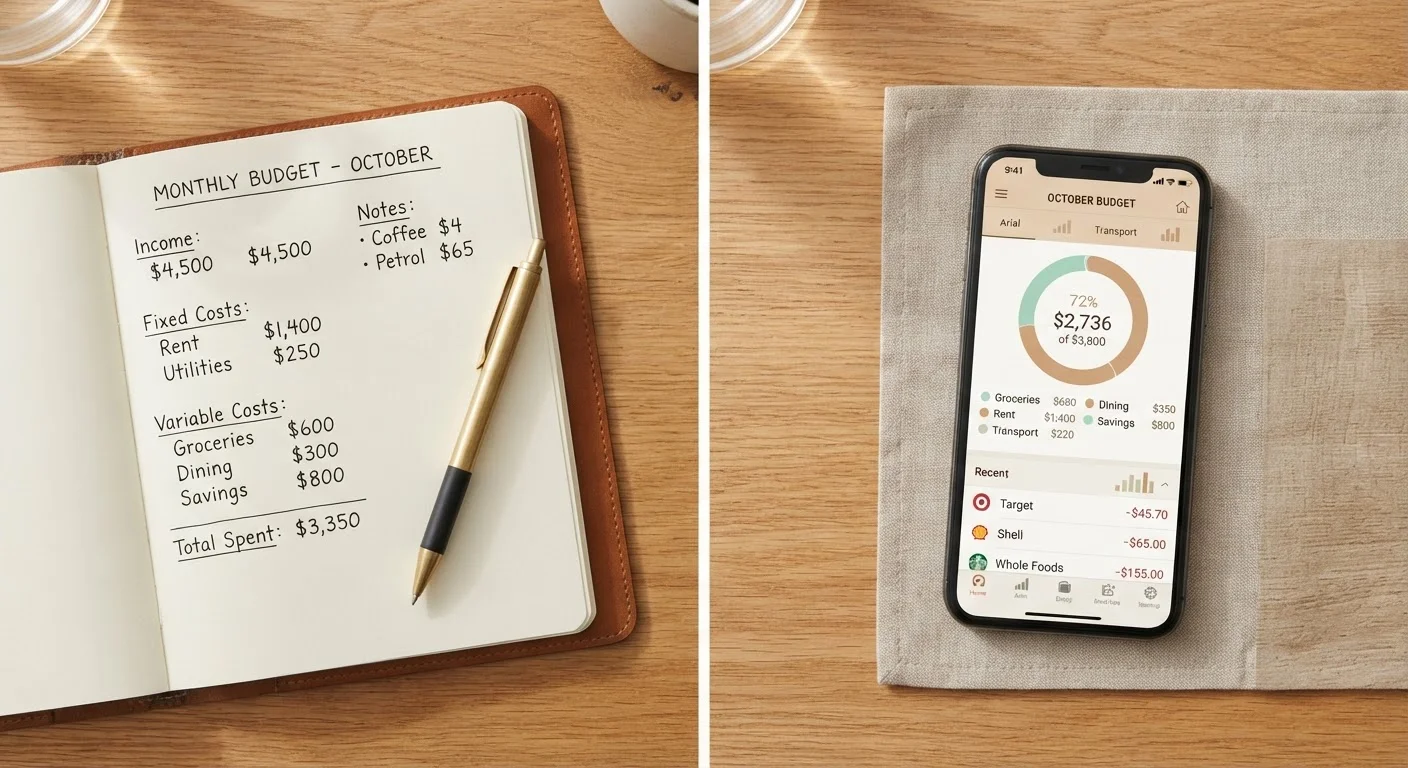
Consider a hybrid approach: Some people plan on paper - writing out their monthly category targets and intentions - then use an app to track actual spending. This preserves the mindfulness of analog planning while benefiting from digital automation. It also pairs naturally with a consistent monthly budget review habit.
If you want a deeper breakdown including spreadsheets, Paper Budget, Spreadsheet, or App compares all three formats across setup time, effort, and flexibility.
This article is for general informational purposes only and does not constitute personalized financial advice. Consult a qualified financial professional for guidance specific to your situation.